Table12
New- 1 × Jollof special
- 1 × Grilled chicken
- 1 × Chapman
4 min · 3 guests₦14,200
Start cookingDetail
restaurant/shop/both/one simple screen
Sell plates of food or products on a shelf? Run it all from one place. Guests order from their phone, the kitchen sees the ticket, the shop scans a barcode, and every sale and refund is added up for you — so closing time takes minutes, not hours.
Start free · paid plans from ₦5,000/month · both verticals from +₦2,500/month · founding lifetime from ₦550,000 once
Pawo POS / hospitality at the speed of tap.
Built in Lagos · runs anywhere
Made for real business owners
You do not need a computer teacher, a consultant or a new machine. If your staff can take a photo and tap a button, they can take an order, check stock and close the day.
An order is typed once. The kitchen sees it, the counter sees it, and the money lands in today’s total. No lost paper, and no “who took this order?” at closing time.
Every product can have a barcode and a stock count. When you sell one, the count goes down, so you see what has finished before a customer asks for it.
Sales, refunds, tax and staff totals meet in one place. The day report and the books use the same numbers, so there is less to explain and less to chase.
Start on the free plan. No card, no setup fee and no countdown clock. Upgrade only when your orders or catalogue outgrow the free limits.
Try it with your businessOne business · five surfaces
Same data, five working surfaces. Nothing is re-typed, and nobody reconciles two notebooks at midnight.
Scan → order → pay
A QR code opens your menu in the browser, with the table already known. The order is built in the guest’s hand, not in a waiter’s notepad.
One account · three ways to sell
Choose the way you actually trade. You are not forced into a restaurant-only product or a separate shop app, and you can change your mind without losing a single order or product.
Bukas, cafés, bars and dining rooms
Plan price only
Provisions shops, minimarts and pharmacies
Plan price only
One owner running both under one roof
Plan price + dual-business add-on
Restaurant + supermarket adds from ₦2,500/month to your plan. The exact add-on is shown on each plan.See the plans
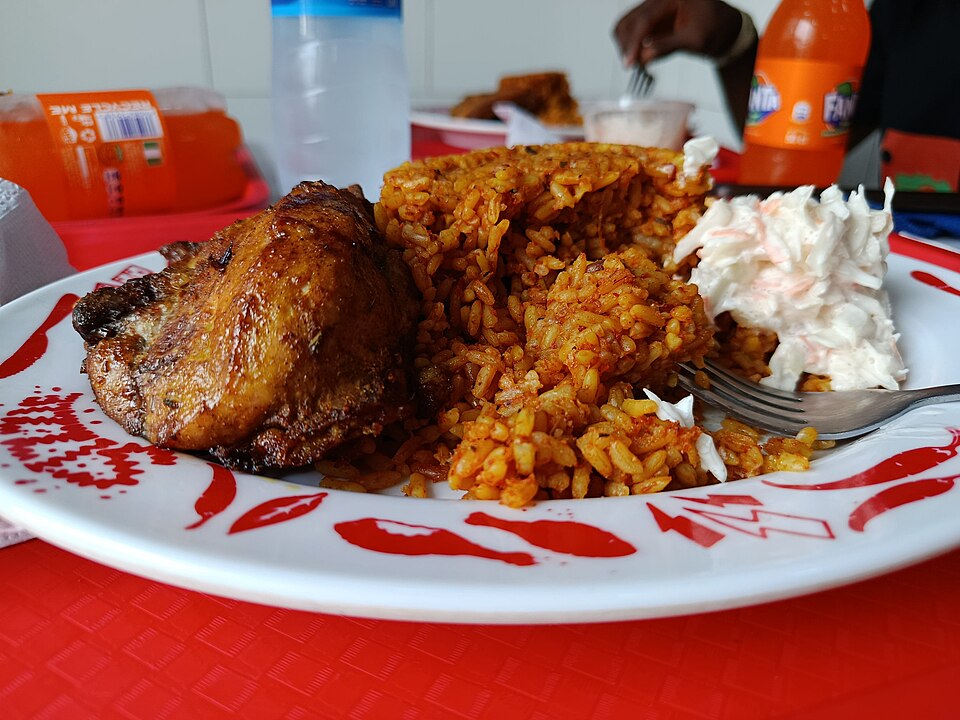
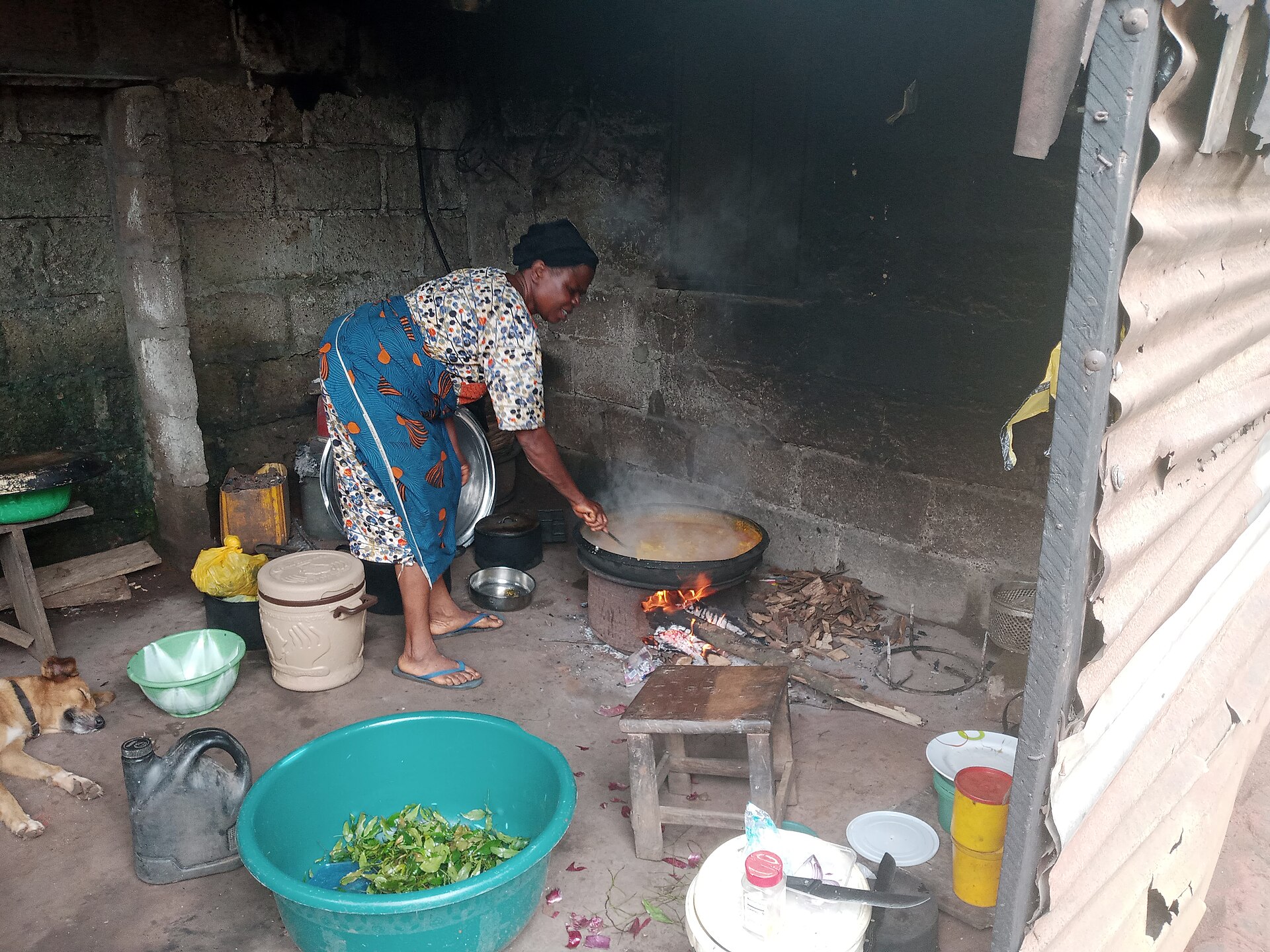
Photos: DebbieUfedo and Iwuala Lucy / Wikimedia Commons · CC BY-SA 4.0
Why we built this
The best Nigerian food is rarely made in a quiet room. It is made in a buka with one burner, a queue at the door, and a handwritten ticket that goes missing at the worst possible moment.
We built this system to protect that work: a menu that does not need reprinting, a kitchen board that reads across a smoky room, and a close of day that matches the cash drawer. The recipes stay yours. The admin gets quieter.
“The food was never the problem. The paper was.”
Lagos, Nigeria
Bukas · cafés · dining rooms
No hardware lock-in
The full menu
Selling, running the floor, keeping the books and staying in control are one system — not four subscriptions stitched together, and not a spreadsheet pretending to be a till.
The table and the counter
Every table gets its own code, and the link carries the table number. Guests search, add notes, watch the cart and choose pay-now or pay-at-counter. No app, no account.
Reorder categories and items, upload photos, and mark a dish sold out without deleting it. A whole menu can arrive through the CSV importer.
Supermarket products carry a SKU, barcode, selling unit, cost price and stock count. The counter searches by name, SKU or barcode, refuses to oversell, and returns stock to the shelf when a full sale is refunded.
Table or takeaway, menu search, held tickets, cash tendered with change due, card sales and a browser-printed receipt. Every sale is attributed to the cashier.
Paystack, Flutterwave, OPay, Kora, bank transfer or pay at the counter. Each business stores its own keys, and the callback confirms payment before an order counts as paid.
Void an order or record a full or partial refund with a required reason. The books reverse the original sale. Only permitted roles can do either, and the audit log keeps the detail.
Create, deactivate or delete tables. Deleting a table kills its code immediately. Download one PNG or generate a batch of up to 100 and print the sheet.
The floor and the kitchen
A ticket lands with table, items, notes and elapsed time. Filter new, cooking and ready, then move it with three taps. Counts sit above the queue for the expediter.
Search and filter every order. See the guest, table, items, payment state and who took it. Cancel or refund without hunting for a manager and a notebook.
Register cashier, kitchen and report printers at 58mm, 80mm or A4. Receipts and report pages render in the browser print dialog at the selected width, with a default per type.
Sales, order count, average ticket and the day’s activity, drawn from the same tables the reports use. No separate spreadsheet to reconcile.
Install the console on a tablet or phone from the browser. Recently viewed menus stay cached. There is no native build to wait for or app-store review to pass.
Take delivery orders from the board or a public QR link. Addresses match to a priced zone, the nearest free rider is assigned, and every order moves from new to on the way to delivered. Orders with no matched zone are flagged before they leave.
Print a table QR or a delivery QR, then download a poster in A4, A5 or story format. Your logo, phone, address and short link are placed on the sheet, and delivery scans are counted separately from table scans.
The numbers after service
Sales, delivery, rider performance, menu performance, staff hours, payroll, financial, tax and audit. The delivery report splits food revenue from fees, averages delivery time by zone, filters to one zone, and compares delivery QR scans with orders placed. Accountants see only the delivery, financial and tax reports.
Every sale, wage payment and recorded expense is entered twice — money in, and where it went — so the totals always agree. The journal, trial balance, profit and loss, balance sheet and cash book all read the same numbers.
Opening and closing cash, bank and card movements, plus a reconciliation view that lines recorded payments up against the book. Integrity checks flag an unbalanced entry before your accountant finds it.
Photograph a supplier receipt and the merchant, date, VAT, total and line items are read into a pre-filled expense. The photo stays attached to the entry, and nothing posts until a person checks it.
Food sales and delivery fee income are separate lines in the accounting overview. Record rider payouts in their own expense category and the net delivery margin — fees less payouts — is visible without a spreadsheet.
Your tax number, authority and jurisdiction live on the business record. Multiple rates can be inclusive or exclusive, each collection builds a liability, and recording a remittance clears it and leaves a filed history with a CSV filing pack.
Close the business day in your timezone: gross, refunds, net, cash, card, other, cancellations, plus one snapshot per staff member. Management closes it with a note, and can reopen it.
Base salary, allowances, bonus, deductions, tax and net pay per payslip. Draft, approve, then mark paid; marking paid emails the staff member. Salary history stays per person.
Staff clock in and out from the attendance screen. The API refuses a clock-out in the same minute, so a double tap cannot create a phantom shift.
Money, people, data
Seven restaurant roles plus the Pawo Cloud admin, each with an editable module preset. A per-user override can widen or narrow that preset — take POS from one cashier, give one accountant the audit log — and the account shows exactly what it deviates on. Voids and refunds stay gated by role, not by trust.
Logins, edits, voids, refunds, clock-ins and settings changes are recorded with actor, IP, entity and JSON detail. Filter it when a number looks wrong.
Every night a protected job walks each active business and posts any sale or expense the books have not seen yet. Re-running it cannot double-count, and one failing business does not stop the rest.
Manual or scheduled daily, weekly or monthly. Choose orders, menu, payroll and finance; keep the last N; verify a SHA-256 checksum; restore into the same tenant only.
Ten display currencies with live rates and guest-side conversion. Guests are charged in your base currency. Five guest languages, including Arabic with RTL layout.
Order, billing, payroll and platform email, with per-tenant switches and module preferences. SMTP is configured once by the platform admin, not per business.
Every query is limited to one business. Passwords are scrambled before they are stored, sessions are signed, and the admin, till and kitchen pages check who you are before they open.
Latest additions
Supermarket mode
SKU, barcode, units, stock counts and barcode-first counter sales.
Dual-business billing
Run a restaurant and a shop; the plan add-on is added automatically.
Delivery QR & posters
A4, A5 or story posters with your logo, phone and address.
Receipt scanning
Photograph a supplier receipt and turn it into a checked expense.
09
ready-made reports
04
export formats
06
payment rails
08
access roles
05
guest languages
10
display currencies
03
receipt widths
100
codes per batch
Security, backups and everyday reliability
A business system has to protect the till, not just look good in a screenshot. These are the boring safeguards that let you sleep after closing.
Every page is limited to your business. Another business cannot see your menu, orders, staff, customers or money.
Cashiers get the till, kitchen staff get the kitchen, accountants get the books. Cancelling an order or giving a refund needs permission.
Logins, price edits, voids, refunds, settings changes and stock movements are recorded with the person and time.
Download a full backup, keep automatic copies, check that it is complete, and restore it to your own business when needed.
It runs in a browser and installs as an app. No new till, no special scanner, no app-store download for you or your guests.
A cash or card sale taken during an outage waits on the cashier device and is replayed when the connection returns. The duplicate key means a retry cannot create a second sale.
Logins expire, old links stop working, mistakes are explained, and a failed request never quietly counts as a paid sale.
No honest system can promise that the internet never drops. This one fails in the open: menus already opened may be cached, new orders wait for the line, and a failed request never silently counts as a paid sale. That is the standard we build to.
From scan to service
An afternoon is enough. There is nothing to install on a desktop, no onboarding call to book, and no card at the door.
“A good service is quiet. The tickets move; nobody shouts.”
Choose a business name, a short link and your base currency. The free plan takes no card and runs on real limits, not a countdown clock.
Type the categories and dishes, or import a CSV. Add prices, photos and sold-out states. Your menu is the only content you have to write.
Create the tables, generate their QR codes, print the sheet. The table number is already in each link, so guests never type it.
Orders reach the kitchen in seconds. At close, sign the Z-report. At month end, approve payroll. The rest is service.
The honest page
Six things competitors promise and we do not. Read this before you move your books; it will save you a season of disappointment. No system is perfect, so the limits are on the same page as the promises.
Actually required
No new till, no dongle, no installer, no mandatory hardware bundle.
See the four setup stepsNo Glovo, Bolt Food or Uber Eats integration. The system runs its own delivery ordering, zone pricing, rider board and delivery reports; it does not import orders from those marketplaces.
Not built. There is no booking calendar, deposit flow or queue management. It starts when the guest scans.
Accounting records spend by category. It does not deplete recipes or count bottles behind the bar.
A guest pays the full bill online or settles at the counter. There is no split-payment line and no tip prompt.
The POS can queue a cash or card sale and replay it safely when the line returns. Guest QR orders and online card payments still need a connection; nothing pretends an online payment succeeded while offline.
None. It is a browser app that installs as a PWA. That is deliberate: one codebase, no app-store review, no forced update.
9 answers · no sales call
No. They scan the code and the menu opens in their browser. They can add it to their home screen if they want, but ordering never depends on installing anything.
Menus you already opened may stay viewable, and the app tells you when it is offline. A cash or card sale taken at the counter is saved on that device and sent when the line returns, without counting twice. A guest order placed offline is saved on the guest’s phone and sent when it reconnects. Online card payments still need a connection — the system never pretends an online payment succeeded.
You can run both, but they will not share data. This system’s reports only know orders placed here. There is no third-party till integration, and pretending otherwise would make your books wrong.
Only the modules their role allows. Kitchen staff get the kitchen display and their clock-in. Cashiers get the POS and orders. Accountants get the books and reports. Each role has an editable preset, and one person can be given or denied a module without touching the role; voids and refunds stay role-gated.
Plans are monthly or yearly, and a plan’s yearly price and first-year discount come from the database. The first 50 businesses can also choose a one-time lifetime price instead of a subscription; lifetime accounts never renew. Renewal dates, reminders and plan changes are managed in the platform console. The app does not store diners’ or tenants’ card details.
Reports export to CSV, XML, DOC or print-ready PDF. A full JSON backup covers orders, menu, payroll and finance, with a checksum, and restores only into the tenant it came from.
Yes. Choose Both at registration or switch later in Settings. You keep one login, one catalogue and one set of books. The restaurant gets tables, QR ordering, kitchen and delivery; the shop gets barcodes, units and stock-aware counter sales.
The base plan price plus the dual-business add-on shown on its pricing card. Restaurant-only and retail-only tenants pay the base plan only. Switching back removes the add-on from the next invoice; the current paid period is not shortened.
Your data lives on the server, not the device. Sign in from another browser. You can also download a JSON backup and restore it into your own tenant, so a broken screen does not become a broken business.
The price list
Every plan includes the catalogue, Pawo Desk and order history. Restaurant tenants also get QR tables, kitchen display and delivery; retail tenants get barcode search, units and counter stock. Run both for the add-on shown on each plan.
Founding 50 · one payment, no renewals
Choose Basic, Growth or Enterprise and replace the monthly subscription with one payment. Only the first 50 businesses qualify.
Perfect for trying out the platform
Built for small restaurants in Nigeria getting started with QR ordering
For busy single-location restaurants ready to scale
For large restaurants and chains that need everything
Every plan includes the catalogue, Pawo Desk, order history, reports and the payment rails. Restaurant tenants also get QR tables, kitchen display and delivery; retail tenants get barcode search, selling units and stock. Run both for the add-on shown on the plan. Prices and limits are read live from the platform database. A first-year discount applies once; renewals return to list price.
No setup fee · no card on free
Ẹ káàbọ̀ · the pass is open
Set up the menu this afternoon, print the codes before the rush, and close the day with a Z-report that matches the till.
Start on the free plan · upgrade when the limits pinch